fix for Wordpress displaying 'HK$' symbol
Wordpress seems doesn't show the HK$ sign even with currency set as Hong Kong Dollar. After doing some research, It is found to be a known issue for woocommerce's theme.
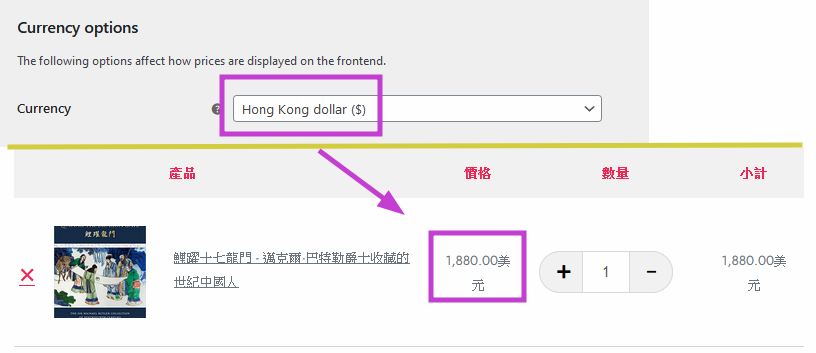
Make it work for Hong Kong Dollar
The fix is easy. Just open the Theme File Editor and find <mark>functions.php</mark>. Append the following code at the end.
/**
* Change a currency symbol
*/
add_filter('woocommerce_currency_symbol', 'change_existing_currency_symbol', 10, 2);

function change_existing_currency_symbol( $currency_symbol, $currency ) {
switch( $currency ) {
case 'HKD': $currency_symbol = 'HK$'; break;
}
return $currency_symbol;
}